
Download PH222 App: Fast and Light on Android and iOS
Download Official
PH222 App
APK & iOS
Spin slots, join live tables, or back your favorite sports teams right from your phone. Cash-ins and cash-outs through GCash work exactly like they do on a computer, just way quicker when you do it inside the app.
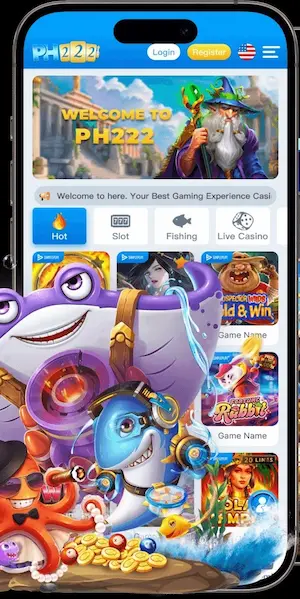
Why Use the PH222 App?
Browser betting gets the job done, but it also comes with lag, sudden logouts, and slow pages. Here are four straight-up reasons why local players download the app and stick with it for their daily games.
Fast Login
Open with Face ID or fingerprint scan. No typing your username and password every single time.
Always Online
Auto-connects to active links if your ISP blocks the main site. You stay in the game no matter what.
Saves Data
Loads fast even on weak 4G signal. Cached assets mean less data per session and no battery drain.
Instant Alerts
Get notified the second your GCash cashout arrives. No need to keep refreshing your wallet screen.
How to Install
Getting the app on your phone takes less than 5 minutes from start to finish. Just pick Android or iPhone below, follow a couple of quick taps, and you’ll be logged in and ready to place your bets.
Android
APK Direct InstallTap Download Android below. The APK saves to your Downloads folder.
If prompted, go to Settings → Install Unknown Apps and allow your browser to install.
Open the file from your notification bar and tap Install. Done.
iPhone / iPad
Add to Home ScreenOpen ph222.org.ph in Safari. Other browsers won’t show the install option.
Tap the Share button — the box with an arrow pointing up at the bottom of Safari.
Tap Add to Home Screen, then tap Add. The icon appears on your home screen.
App vs Mobile Web Browser
Playing through Chrome or Safari works fine if you just want to drop in for a quick bet, but the app gives you way faster loading times and keeps you from getting kicked out mid-spin. We put them side by side below so you can see how each one handles everyday games and decide what works best on your phone.
| Feature | 📱 PH222 App | 🌐 Mobile Browser |
|---|---|---|
| Load speed | ✓ Opens fast with saved cache | ✗ Slower page loads every visit |
| Site blocks | ✓ Auto-bypasses ISP blocks | ✗ Can get blocked by local networks |
| Login method | ✓ Face ID / fingerprint | ✗ Type username & password each time |
| Cashout alerts | ✓ Push notification on arrival | ✗ No transaction notifications |
| Data usage | ✓ Less data per session | ✗ More data per spin / page reload |
Phone Requirements
We kept the app lightweight so you won’t have to clear out your photos or apps just to make room. Pretty much any standard smartphone from 2018 onwards handles it without breaking a sweat, even on budget data plans. Take a quick look at the checklist below just to be sure.
Android
iPhone / iPad
App Member Rewards
Bonuses that only apply when you play through the app. Not available on browser.
Free Sign-in Bonus
Free credit drops into your wallet after your first login on the app. No deposit needed to claim it.
Lucky Spin
One free spin every day. Open the app, hit the spin tab, and collect whatever cash it lands on.
Daily Rebate
Extra cashback on every slot and live bet placed through the app. Stacks on top of your existing rebate rate.
Common Questions & Help
The five things people ask most before and after downloading.
Play Now on Mobile?
Download the app and get your ₱99 bonus. Takes less than three minutes to install and start playing.